Learn how to leverage V2Ray to bypass ISP-restricted data packages—particularly those targeting specific services like Zoom.
What is V2Ray?
Think of V2Ray as a VPN on steroids. It offers more flexibility, advanced routing, and obfuscation features compared to traditional VPNs—making it ideal for evading restrictive ISP-level throttling and service-level firewalls.
Prerequisites
Before proceeding, ensure you have the following:
- A Windows PC with administrator privileges
Note: There are apps available for Android, iOS, and Linux, but this guide focuses on Windows.
- A V2Ray server (self-hosted or via a provider) — Free options include FastSSH or VPN Jantit
- A V2Ray client for Windows — We’ll use v2rayN
Step 1: Download and Install V2Ray Client (v2rayN)
-
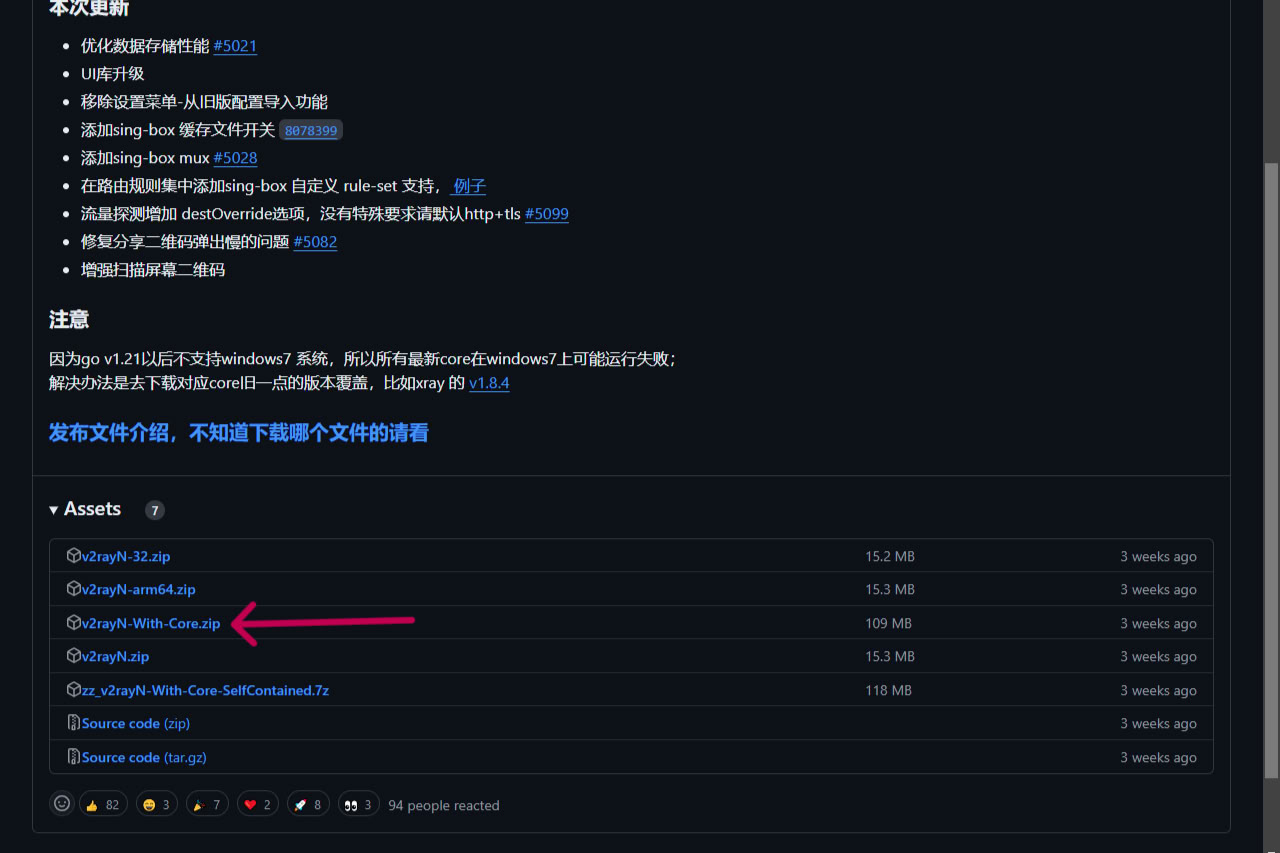
Download the latest version of v2rayN-With-Core.zip from the official GitHub repository:
👉 https://github.com/2dust/v2rayN -
Extract the ZIP file and run the
v2rayN.exe.
Step 2: Create a V2Ray Account
You can either self-host or use a third-party service like FastSSH:
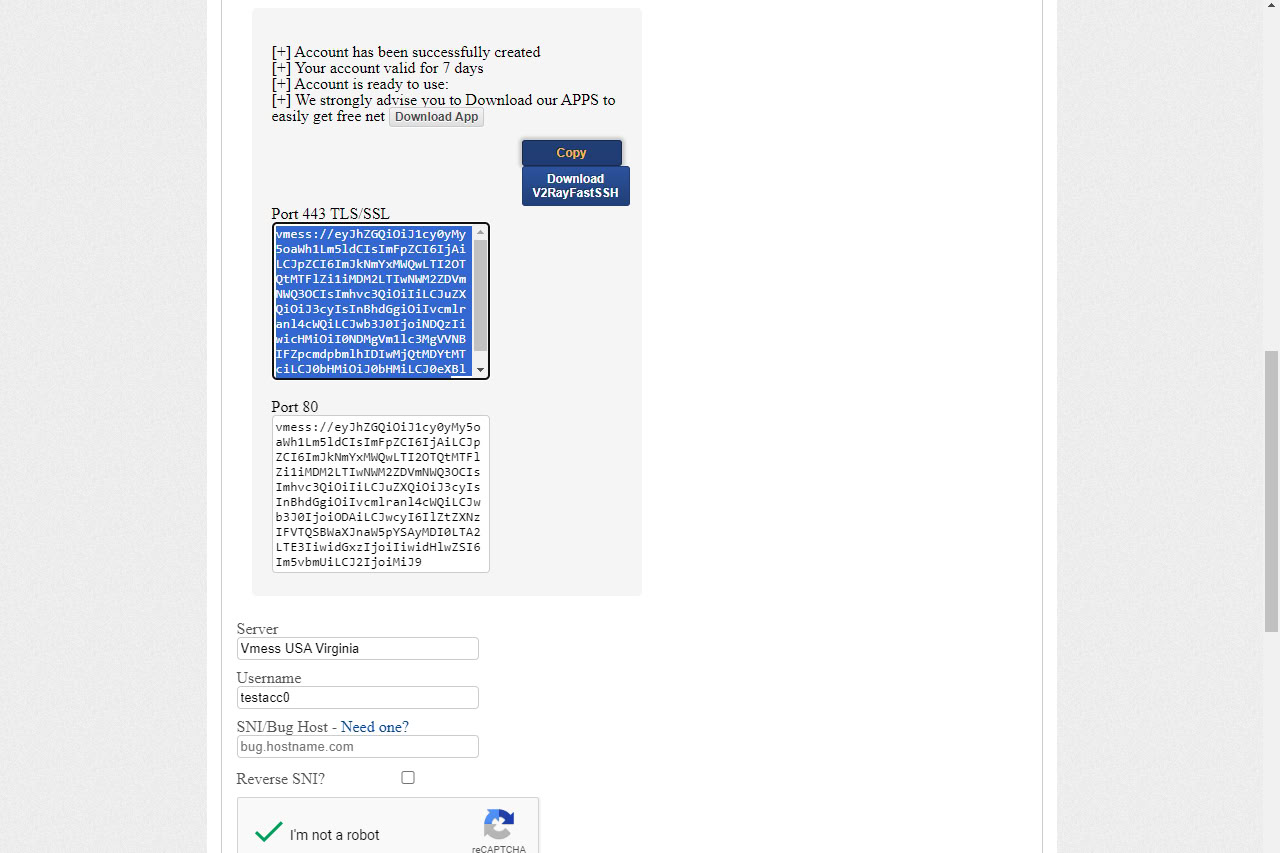
- Visit the FastSSH V2Ray section
- Choose a server location and create an account
- Copy the configuration—specifically the TLS Port 443 (preferred for SNI)
Step 3: Import V2Ray Configuration
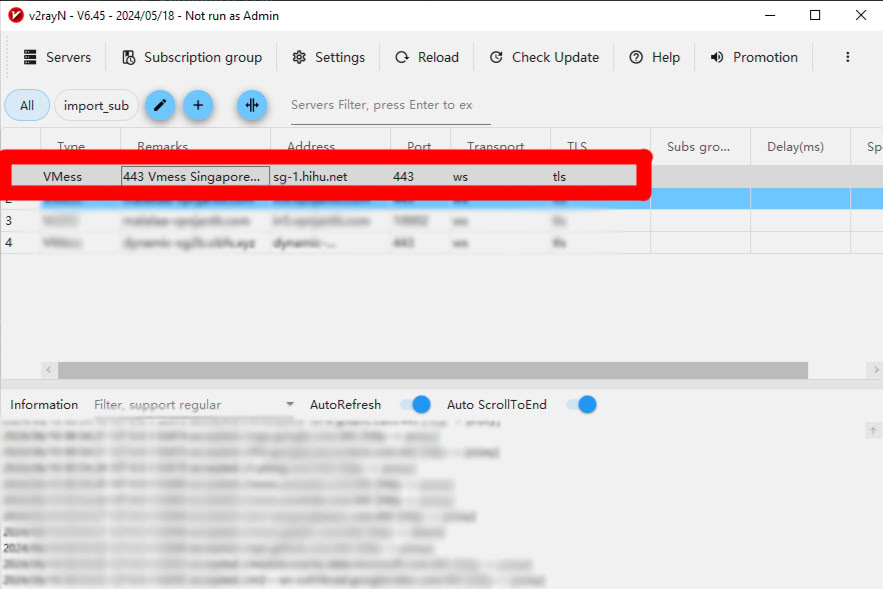
- Open v2rayN
- Press
Ctrl + Vto import the config from clipboard
Or go to Servers > Import bulk URL from Clipboard
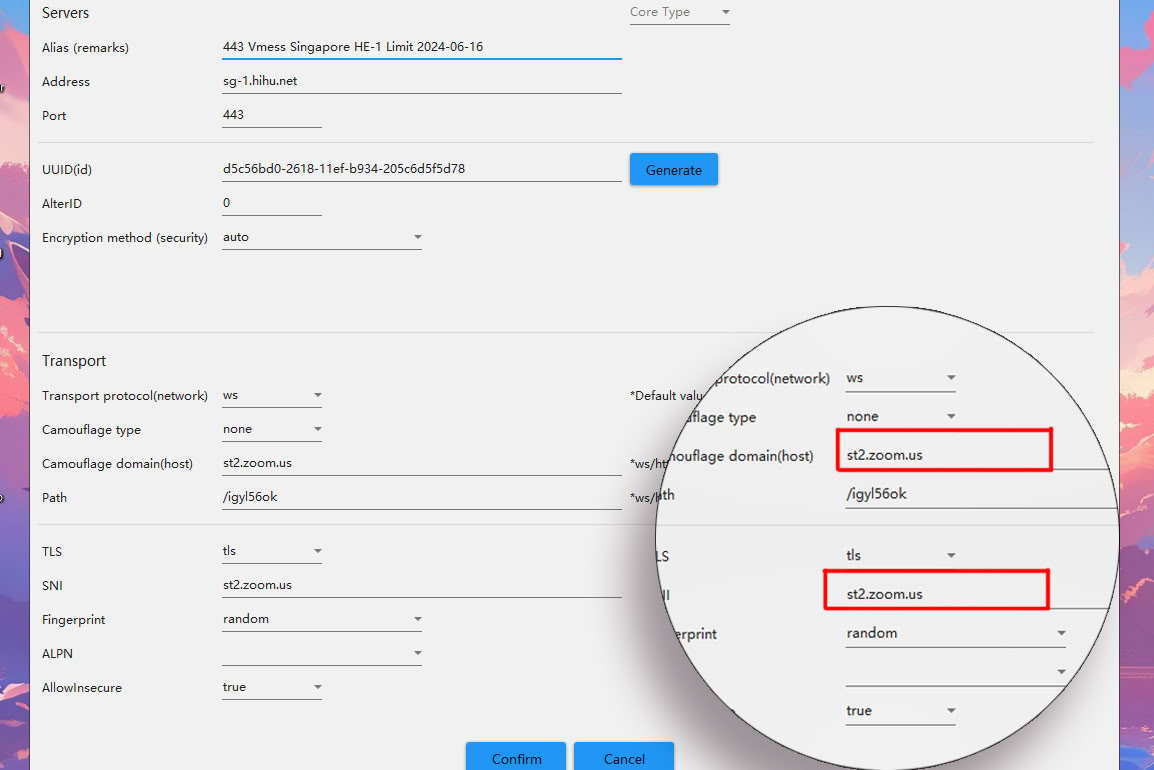
Step 4: Modify the Config for SNI Bypass
- Double-click the imported config
- Change the following values:
| Field | Value |
|---|---|
| Camouflage Type | None |
| Camouflage Domain | aka.ms |
| Fingerprint | Random |
| AllowInsecure | True |
(Use the appropriate domain for your targeted service — e.g., WhatsApp, Facebook, etc.)
Step 5: Start V2Ray
- Select the config and press Enter or right-click > Start
- If the SNI host is valid and server config is correct, V2Ray will connect successfully.
Bonus: Finding SNI Hosts
You can identify potential SNI hosts using:
- Burp Suite (manual inspection)
- Online Subdomain Scanners (e.g., crt.sh, Subfinder)
Example SNI Hosts by Platform:
www.whatsapp.comweb.whatsapp.combusiness.whatsapp.comfaq.whatsapp.com
www.facebook.commbasic.facebook.comweb.facebook.comstatic.whatsapp.net
YouTube
www.youtube.comm.youtube.commusic.youtube.com
Final Thoughts
This method is a clever workaround for ISP-level service restrictions, particularly useful in regions where Zoom or WhatsApp data is metered separately. As always, use responsibly.
⚠️ Caution: This guide is for educational purposes only. Misusing network tunneling tools may violate your ISP’s terms of service.
peace ✌️